
From capture to inference: the Robopipe pipeline
A technical walkthrough of the open capture → label → train → infer loop that powers every deployment.
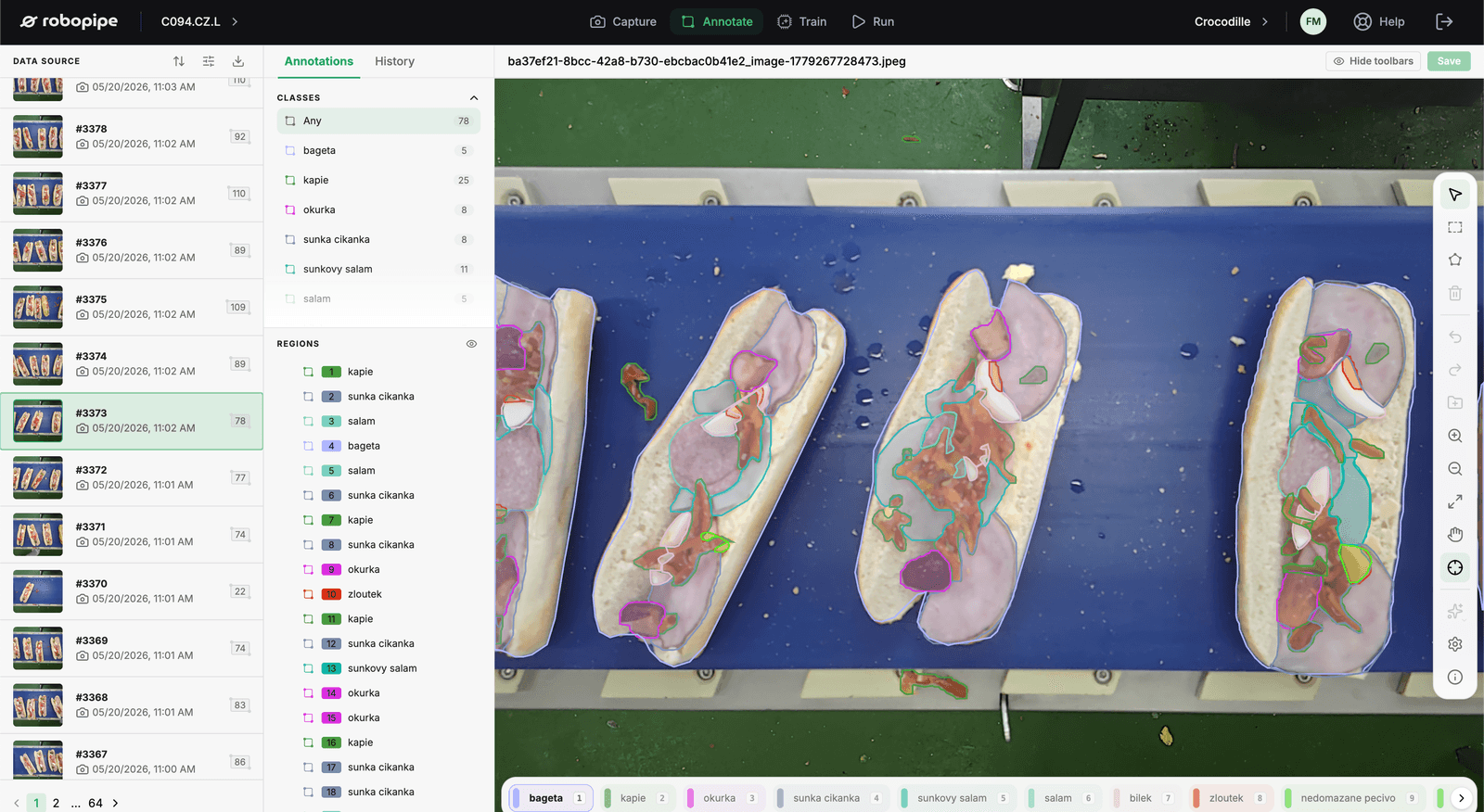
Robopipe runs a four-stage pipeline, and every deployment — sandwich line or parcel sorter — runs the same loop. Here's what each stage actually does.
1 — Capture
The 12MP camera (1/2.3", 1.55µm pixels) streams frames triggered by the line: an encoder pulse, a light barrier, or plain frame rate. Capture sessions are tagged by product and batch, so building a dataset means running the line normally for a few minutes. Raw frames land on the controller's local storage — nothing leaves the plant unless you want it to.
2 — Label
The labeling UI is built for line staff, not annotation farms. For classification you sort thumbnails into pass/fail piles; for detection you draw boxes on the handful of defect classes you care about. Augmentation — rotation, exposure, blur — is generated automatically, so a hundred labeled frames typically train like a thousand.
3 — Train
Training runs on the controller's GPU or in your own infrastructure — the training config is a JSON you can inspect, preset, or override key by key. A typical product model converges in 15–40 minutes. Every run logs metrics, and the dashboard shows precision/recall against a held-out set before you're allowed to deploy.
Everything is versioned: datasets, labels, configs and weights. Rolling back a model is one click, and two models can run A/B on the same stream while you decide.
4 — Infer
At runtime the model classifies each piece in under 50 ms on the AI PLC controller. Verdicts fire physical outputs — a rejector, a stack light — and publish over Modbus or EtherCAT like any other sensor value. The same events feed the floor display and the analytics portal, so quality data has one source of truth from belt to boardroom.
Because the whole loop is open, there's no black box between you and your quality decisions: you can read the configs, export the datasets, and take your models with you. That's the point.